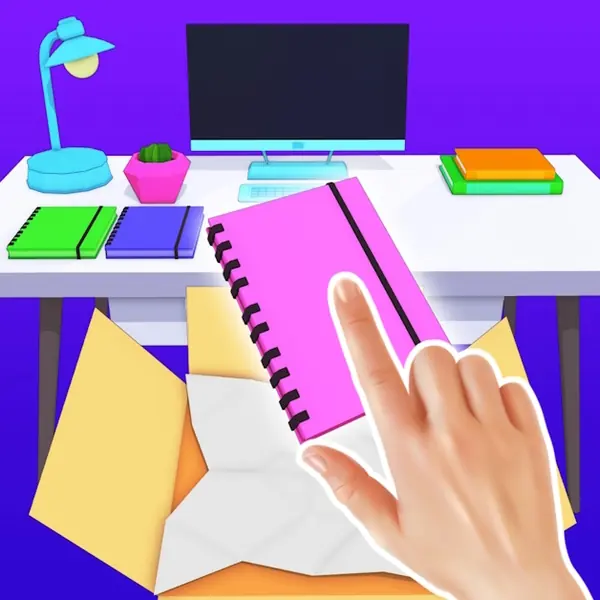

Welcome to DIY Desk Designer, a game where you step into the role of a creative entrepreneur and launch your very own interior design studio. Your specialty? Crafting the perfect desk and workspace. In DIY Desk Designer, clients will seek out your expertise to transform their personal spaces, whether it's a cozy bedroom nook or a professional home office. Your core mission is to focus on the heart of any productive area: the desk and its surrounding environment. Each project begins with a client's vision. You'll have the creative freedom to overhaul the entire room—starting with foundational elements like wallpapers and flooring, then meticulously selecting furniture that complements the intended aesthetic. But the true essence of DIY Desk Designer lies in the details of the desk area itself. You'll choose the perfect desk, a comfortable chair, functional shelving, and all the accessories that make a workspace uniquely personal and highly functional. Once the structural design is complete, the real fun begins. Unpack boxes filled with items like books, planners, decorative plants, lamps, and even vintage record players. Your task is to thoughtfully place each object, creating a scene that is both beautiful and practical. The final step is to capture a stunning photo of your creation. Your success in DIY Desk Designer is measured by client satisfaction and the social media buzz your designs generate. A happy client and a design that earns 'likes' are your ultimate rewards. This game is a detailed simulator of the design process, offering a satisfying blend of interior decoration, space organization, and personal styling, all centered on the art of designing the ideal desk.
DIY Desk Designer Instructions
Q: How do I start a design project in DIY Desk Designer?
A: Clients will visit your studio. Read their wishes in the speech bubble above them to understand their request.
Q: What is the core gameplay loop of DIY Desk Designer?
A: You enter an empty room. Click on the marked points to change wallpapers, flooring, furniture colors, and select items like desks and chairs. Click the green button on the right when the base design is ready.
Q: What happens after I finish the room setup in DIY Desk Designer?
A: Boxes will appear. Click on them to unpack items like books, lamps, and decor. Place these items thoughtfully on shelves and the desk to style the workspace.
Q: How do I complete a project in DIY Desk Designer?
A: After decorating, take a final photo. Your goal is to create a beautiful, client-approved design that will earn likes.