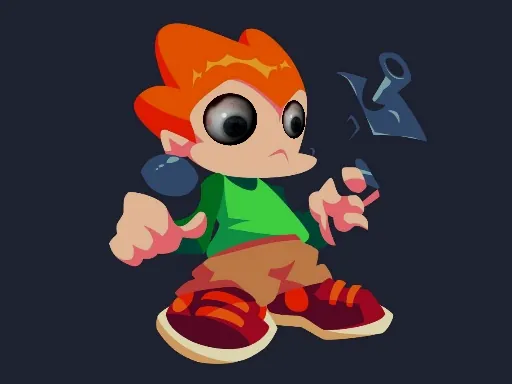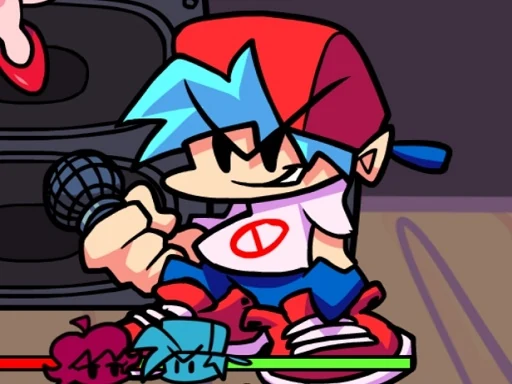

Friday Night Funkin PixelCrate takes the beloved rhythm-battle formula and gives it a crisp, pixel-art makeover. In this fast-paced browser game, you step into the shoes of the blue-haired protagonist, Boyfriend, as he faces off against a series of musical rivals to win the heart of his Girlfriend. Each encounter is a high-energy duel where you must match the beat by pressing the correct arrow keys in time with the music. The PixelCrate edition enhances the experience with vibrant, retro-styled visuals and tight, responsive controls that make every note feel satisfying to hit. With a growing library of original songs and remixed classics, the game challenges your timing and reflexes across multiple difficulty levels. Whether you're a rhythm game veteran or a newcomer, Friday Night Funkin PixelCrate offers a fun, accessible challenge that rewards practice and precision. The simple one-button-per-direction input keeps the focus on the music and the flow of battle, while the pixel art style adds a nostalgic charm that sets it apart from other versions. Jump into the groove, keep the beat, and help Boyfriend win the day—one funky track at a time.
Friday Night Funkin PixelCrate Instructions
Q: How do I start playing Friday Night Funkin PixelCrate?
A: Open the game in your browser and click the 'Play' button on the title screen. The game will load the first song and opponent automatically.
Q: What are the controls for Friday Night Funkin PixelCrate?
A: Use the arrow keys on your keyboard: press Up, Down, Left, or Right to match the arrows that scroll toward the center of the screen. On mobile devices, tap the corresponding on-screen arrows.
Q: How do I win a song in Friday Night Funkin PixelCrate?
A: Hit the correct arrows in time with the beat to fill your health bar. If your health stays above zero until the song ends, you win the round and advance to the next song.
Q: What happens if I miss too many notes in Friday Night Funkin PixelCrate?
A: Missing notes drains your health bar. If it reaches zero, you lose the song and must retry from the beginning of that track.
Q: Can I change the difficulty in Friday Night Funkin PixelCrate?
A: Yes, before starting a week, you can select Easy, Normal, or Hard difficulty from the menu. Hard mode features faster arrow patterns and more complex rhythms.
Q: Is there a practice mode in Friday Night Funkin PixelCrate?
A: The game does not have a separate practice mode, but you can replay any unlocked song from the menu to improve your score and timing.
Q: How do I unlock new songs in Friday Night Funkin PixelCrate?
A: Progress through the story by winning each song in order. Defeating an opponent unlocks the next track and eventually new weeks with different rivals.
Q: Does Friday Night Funkin PixelCrate save my progress?
A: Yes, the game automatically saves your progress in your browser's local storage. Clearing your browser data may reset your save.