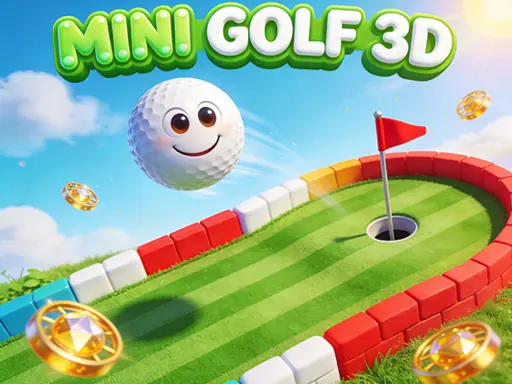

Welcome to Mini Golf 3D, a modern and engaging take on the classic mini-golf arcade experience. This game transforms the familiar fun of putting greens into a sleek, three-dimensional world where precision and strategy are key. In Mini Golf 3D, your objective is straightforward yet compelling: navigate a diverse collection of over 40 creatively designed holes. Each level in Mini Golf 3D introduces new layouts and progressively ramps up the challenge, ensuring that your skills are constantly tested and refined as you advance. The core gameplay loop of Mini Golf 3D is intuitive and satisfying. You'll aim your shot, carefully charge the power of your swing, and execute with precision. The responsive physics engine makes every putt feel realistic and consequential. A slight miscalculation can mean the difference between a hole-in-one and a frustrating ricochet. The courses in Mini Golf 3D are filled with strategic obstacles designed to test your planning. Sand traps will slow your ball to a crawl, forcing you to apply extra power on your next shot. The water hazards are particularly punishing; landing in one immediately costs you a stroke, adding a layer of risk management to every putt you take. Beyond simply completing holes, Mini Golf 3D offers rewarding progression systems. As you play, you'll earn sparkling gems. These gems serve as your currency to unlock a vibrant palette of new colored balls, allowing you to personalize your experience on the green. Mastering the later courses in Mini Golf 3D requires patience and skill, as the layouts become more complex, incorporating multi-tiered greens, narrow bridges, and tricky bank shots. The game is crafted to be both accessible for quick sessions and deeply engaging for those seeking to perfect their score on every hole. Ultimately, Mini Golf 3D delivers a smooth, polished, and addictive arcade package that honors the spirit of mini-golf while leveraging 3D visuals and physics to create a fresh and consistently enjoyable challenge.
Mini Golf 3D Instructions
Q: How do I play Mini Golf 3D?
A: Use your mouse to aim. Click and hold to charge your shot power, then release to putt. On touch devices, simply tap and hold, then release.
Q: What are the main obstacles in Mini Golf 3D?
A: Avoid sand traps (they slow your ball) and water hazards (they cost you an extra stroke).
Q: How do I progress in Mini Golf 3D?
A: Complete over 40 challenging levels to unlock new courses. Earn gems to unlock new colored balls.