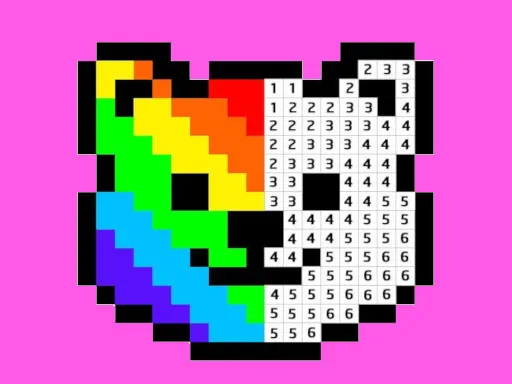

Welcome to Pixel Art - Color by Numbers, a relaxing and creative digital coloring experience designed for everyone, regardless of artistic skill. The core concept is beautifully simple: you transform numbered outlines into stunning, vibrant pixel art masterpieces. Each section of the canvas is marked with a number that corresponds to a specific color from your palette. Your task is to fill in those pixels with the correct hue, watching as a detailed image emerges, piece by piece, from what was once a blank grid. This methodical process is the heart of Pixel Art - Color by Numbers, offering a perfect blend of structure and creative satisfaction. Within Pixel Art - Color by Numbers, you'll discover an extensive and ever-growing library of free pictures. Our collection is carefully curated to cater to a wide audience. For adults, we offer intricate designs of animals, landscapes, famous landmarks, and decorative patterns that provide a mindful escape and a sense of accomplishment. For kids and beginners, there are charming illustrations of cartoons, simple objects, and cute characters that make learning numbers and colors fun and engaging. The app serves as a wonderful tool for developing focus, color recognition, and fine motor skills in a stress-free environment. The beauty of Pixel Art - Color by Numbers lies in its accessibility. It truly doesn't require any prior drawing or painting skills. The numbered guide system removes the guesswork and pressure, allowing you to focus purely on the calming act of coloring. As you progress, you'll experience the therapeutic joy of seeing a complex pixel artwork come to life under your fingertips. It's a digital form of paint-by-numbers, reimagined for the modern era with the charming, blocky aesthetic of classic pixel graphics. Whether you have five minutes or an hour, Pixel Art - Color by Numbers provides a portable creative sanctuary. Dive into our vast gallery, select your favorite canvas, and start your journey from numbered sketch to fascinating pixel color artwork today.
Pixel Art - Color by Numbers Instructions
Q: How do I start coloring in Pixel Art - Color by Numbers?
A: Simply select a color from the palette, then find and click on a pixel marked with the corresponding number on the canvas to fill it in.
Q: Is there a faster way to color large areas in Pixel Art - Color by Numbers?
A: Yes. Click and hold on a pixel for about 2 seconds, then drag your cursor to continuously fill multiple adjacent pixels of the same number with the selected color.